



Homebase logo

Free-to-Start Time Clock and Attendance Tracking for Hourly Teams

Homebase combines a time clock, scheduling, timesheets, team messaging and optional payroll in one app built for small businesses with hourly staff. Pricing is set per location rather than per employee, starting with a free Basic plan for one location with up to 10 employees.
Homebase platform dashboard

About Homebase

Industry leader in connected fleet operations

Market Position

Freemium leader in small business time clocks and scheduling, backed by about $189 million in venture funding including a $60 million Series D in 2024.

Innovation Focus

AI scheduling assistant, GPS geofenced mobile clock-ins and built-in payroll that turns tracked hours directly into paychecks.

Core Strengths

Free entry plan, flat per-location pricing, photo and GPS clock-in verification, and POS integrations with Square, Clover and Toast.

Use Cases

Shift attendance, break and overtime tracking, timesheet approval, payroll prep and team communication for restaurants, retail, salons and clinics.

Discover Homebase’s Complete Attendance Suite

Core Products & Solutions

Clock-in, verification, timesheet and payroll tools for tracking hourly attendance
Time Clock App and Kiosk

Time Clock App and Kiosk

Employees clock in and out from a shared tablet, computer, POS device or their own phone, with a kiosk mode and offline mode for spotty connections.

GPS Geofencing and Photo Capture

GPS Geofencing and Photo Capture

Mobile clock-ins can be restricted to a geofence with a selectable radius, and the clock can snap a photo at punch-in to discourage buddy punching.

Break, Overtime and Missed Punch Alerts

Break, Overtime and Missed Punch Alerts

The system logs breaks, sends break reminders and notifies managers about approaching overtime, missed punches and late or early arrivals.

Digital Timesheets

Digital Timesheets

Hours roll automatically into payroll-ready timesheets that managers can edit, approve and export, with labor cost tracking by role or department.

Homebase Payroll

Homebase Payroll

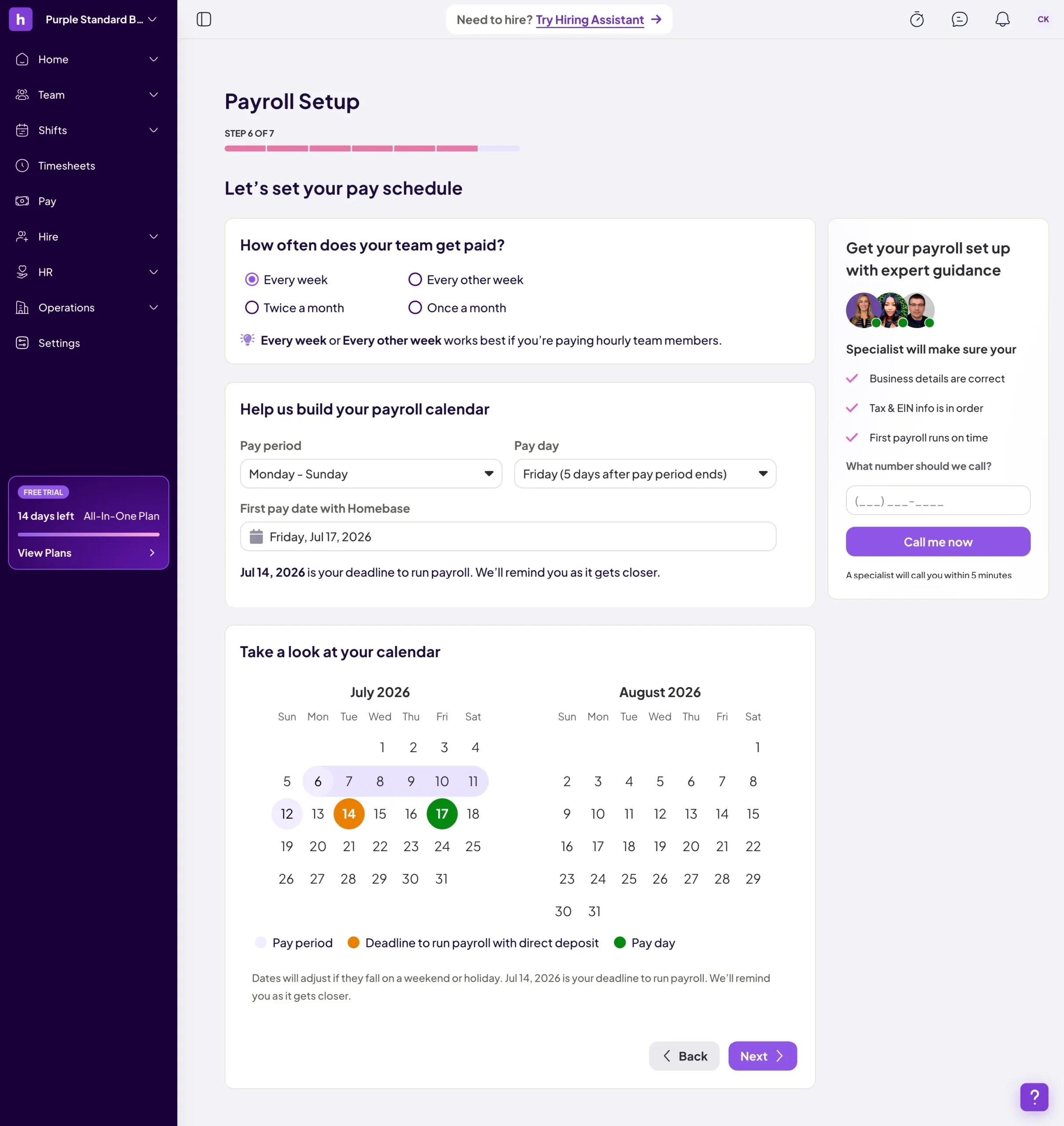
An add-on that converts approved timesheets into payroll for all 50 states and Washington D.C., including tax filing, W-2s, 1099s and direct deposit.

Scheduling and Team Communication

Scheduling and Team Communication

Shift scheduling, shift trades, time-off requests and in-app messaging tie attendance to the posted schedule so managers can spot no-shows quickly.

Homebase’s Pricing Plans

Pricing Overview

Published pricing, billed per location per month; annual billing is about 20% lower than monthly, and a Plus tier sits between Essentials and All-in-One

Basic

Single-location businesses with up to 10 employees

Free

  • Basic scheduling
  • Basic time tracking
  • POS integration
  • One location only
  • Up to 10 employees
  • 24/7 AI chat and Help Center support
Custom Quote
Get A Quote

Essentials

Growing teams that need full attendance controls

$24/location/mo

$24 per location per month billed annually, or $30 billed monthly

  • Everything in Basic
  • Unlimited employees
  • Advanced time tracking
  • Advanced scheduling
  • Team communication
  • Live chat and phone support
Custom Quote
Get A Quote

Plus and All-in-One

Businesses that want PTO controls, permissions, onboarding and HR compliance

Plus at

$56/location/mo

Plus at $56 per location per month billed annually ($70 monthly); All-in-One at $96 annually ($120 monthly)

  • Everything in Essentials
  • AI-powered scheduling assistant (Plus)
  • PTO controls, departments and permissions (Plus)
  • Employee onboarding (All-in-One)
  • Labor cost management (All-in-One)
  • HR and compliance tools (All-in-One)
Custom Quote
Get A Quote
WHO

Who Is Homebase Best For?

Ideal customer segments and business profiles

Small Businesses

1-25 Employees

The strongest fit: a single shop with 10 or fewer staff can track attendance free, and Essentials adds unlimited employees for a flat location fee.

Mid-Market Companies

26-100 Employees

Per-location pricing becomes very cost-effective for larger crews at one or a few sites, though reviewers note reporting and customization limits at this size.

Enterprise Companies

100+ Employees

Usable across many locations, but costs scale with every site and the platform lacks the benefits administration and deep configurability larger HR teams usually expect.

Multi-Location Restaurants and Retail

Any Size

Food service, retail and hospitality operators benefit from POS integrations that compare labor to sales and from shift-based scheduling tied to clock-ins.


Homebase’s benefits

Measurable Impact & Benefits

Figures published by Homebase from its own customer and usage data

150,000+

Small Businesses

Reported customer count across Homebase's website in 2026

3.5

Million Workers Supported

Hourly employees who used Homebase during 2025

1.2

Billion+ Hours Logged

Hours clocked through the Homebase time clock in 2025

20 Hours

Saved Per Month

Average manager time saved across scheduling, time tracking and payroll

85%

Rate It Extremely Easy To Use

Share of surveyed customers giving the top ease-of-use rating

$3,500

Average Annual Savings

Average yearly savings Homebase cites for its payroll customers

Two-Thirds Less Payroll Time

Average reduction in time spent running payroll, per Homebase

7

Million+ Paychecks Processed

Paychecks run through Homebase Payroll since 2022, totaling $5 billion+ in gross pay

Homebase’s REVIEWS

Homebase Real reviews

150,000+ small businesses across food service, retail, wellness, healthcare and services

Our Rating:

4.6/5

Trustpilot reviews
3.8
G2 reviews
4.6
597 Reviews
Capterra
4.6
1,155 Reviews
3.9
196,381 Reviews
Kearis O.
Great employee management software for small business
Kimberly F.
Effortless Workforce Management in One Intuitive Platform
Attendance Buyer’s Checklist

Attendance Checklist

What To Compare Before You Buy

Attendance tools differ on clock-in verification, break and overtime rules, pricing model and payroll handoff, and small gaps can mean wage and hour exposure. This checklist helps you compare vendors side by side before you commit.

Get Your Free Checklist

Enter your email to download instantly

No spam. Instant access. Unsubscribe anytime.

Instant
Download
No
Spam
Free
Forever
Homebase BENEFITS

Homebase’s Pros & Cons

Balanced evaluation to help you make an informed decision

Strengths

  • Free Basic plan covers time tracking and scheduling for one location with up to 10 employees
  • Flat per-location pricing with unlimited employees on every paid tier
  • Fully published pricing with a 14-day trial and no credit card required
  • GPS geofencing, photo capture, kiosk and offline modes to verify attendance
  • Break, overtime and missed punch alerts support wage and hour compliance
  • Native payroll in all 50 states plus integrations with ADP, Gusto, Paychex and QuickBooks
  • Consistently rated easy to use, with 4.6 scores on G2 and Capterra

Limitations

  • Onboarding, labor cost management and HR compliance tools require the $96 All-in-One tier
  • Payroll adds $49 per month plus $6 per paid employee on top of the plan fee
  • Per-location pricing gets expensive for businesses with many small sites
  • Reviewers cite limited reporting, rigid templates and weak auto-scheduling for variable shifts
  • Mobile app offers fewer features than the web version, and some users report clock-in glitches
  • Trustpilot complaints focus on billing issues and slow help for complex problems

Our Verdict

Homebase earns its Best in Pricing placement for attendance because it is one of the few time clock vendors that publishes every price, offers a free plan with real attendance tracking, and charges by location instead of by employee. A single restaurant or shop with a large hourly crew can get geofenced clock-ins, break and overtime alerts and approved timesheets for $24 to $30 per month, which is hard to match on a per-user pricing model. The value weakens as needs grow. Payroll, onboarding and HR compliance push total cost well above the headline price, businesses with many small locations pay a fee for each one, and reviews point to reporting limits, occasional app glitches and billing complaints. Homebase is a strong first choice for small to mid-sized hourly businesses at one or a few locations; multi-site operators and companies needing deep HR functionality should compare per-user alternatives before committing.

Resources

Resources & Documentation

Detailed materials for deeper evaluation

Pricing and Plan Comparison

Full plan list, add-on prices and trial terms

Time Clock Product Overview

Clock-in methods, alerts, timesheets and compliance features

GPS Time Clock and Geofencing Guide

How mobile clock-ins, geofence radius and photo capture work

Integrations Directory

POS and payroll partners including Square, Toast, Clover, ADP and Gusto

Homebase Payroll Overview

Payroll coverage, tax filing, direct deposit and pricing

Federal and State Payroll Tax Forms Filed

Help Center article listing the tax forms Homebase files for customers

Customer Reviews and Awards

Homebase's roundup of ratings, usage stats and customer stories

Best Geofencing Time Clocks Guide

Homebase's buyer guide comparing geofencing time clock options

What to Know

What to Know Before Buying

Key considerations for evaluating Homebase
  • No proprietary hardware is required to start clocking in
  • A 14-day All-in-One trial lets you configure geofences and alerts before paying
  • Employees are added and invited through the app, with POS sync available on supported systems
  • Confirm your specific POS or payroll provider is supported before migrating timesheets.
  • Reviewers mention friction with complex multi-location payroll and switching between accounts.
  • Monthly billing costs about 25% more than annual billing on each plan.
  • Switching payroll mid-year requires prior payroll history for accurate tax filings.
  • Some users report billing disputes when canceling, so document cancellation dates.

Alternatives

Compare Alternatives

See how Homebase stacks up against competitors

When I Work prices per user, which can cost less for very small teams but more than Homebase's flat location fee for larger hourly crews.

Detailed feature comparison, pricing analysis, and user reviews

Get Started

Ready to Get Started?

Get personalized recommendations from top 3 vendors

By submitting, you agree to receive recommendations from verified vendors. No spam, unsubscribe anytime.

Are You a Software Vendor?

List your company and get in front of decision-makers actively searching for solutions.

FAQ’s

Frequently Asked Questions

Common questions about Homebase

The Basic plan is free for one location with up to 10 employees. Essentials, which adds advanced time tracking and unlimited employees, costs $24 per location per month billed annually or $30 monthly. Plus is $56 annually and All-in-One is $96 annually per location.

Yes. Basic has no charge for a single location with 10 or fewer employees and includes basic time tracking, scheduling and POS integration. Support on the free plan is limited to AI chat and the Help Center.

Yes. Managers can set geofences with a chosen radius so employees can only clock in from their phones near the job site, and the time clock can capture a photo at punch-in to deter buddy punching.

The time clock logs breaks automatically, sends break reminders, and alerts managers about upcoming overtime and missed punches, with FLSA compliance support built into timesheets.

Payroll is an add-on at $49 per month plus $6 per paid employee, available in all 50 states and Washington D.C. It files taxes, produces W-2s and 1099s, and offers direct deposit. Homebase also exports timesheets to ADP, Gusto, Paychex and QuickBooks.

Reviewers cite limited reporting and customization, fewer features on mobile than on the web, occasional clock-in glitches, and billing complaints on Trustpilot. HR compliance and onboarding tools require the top All-in-One tier.

Common alternatives include When I Work, Connecteam, 7shifts, Deputy and Sling, which differ mainly in per-user versus per-location pricing and industry focus.

No. Plans can be billed monthly or annually at a discount, and payroll is month to month. A 14-day All-in-One trial is available without a credit card, after which eligible accounts drop to the free Basic plan.


