



iSpring Learn logo

Published Per-Active-User LMS Pricing With Authoring Included

iSpring Learn, now marketed as iSpring LMS, is a cloud learning management system for employee onboarding, compliance and development training. It publishes its Business plan rates, bills only for learners who log in during a month, and bundles the iSpring Suite AI authoring tool into every plan.
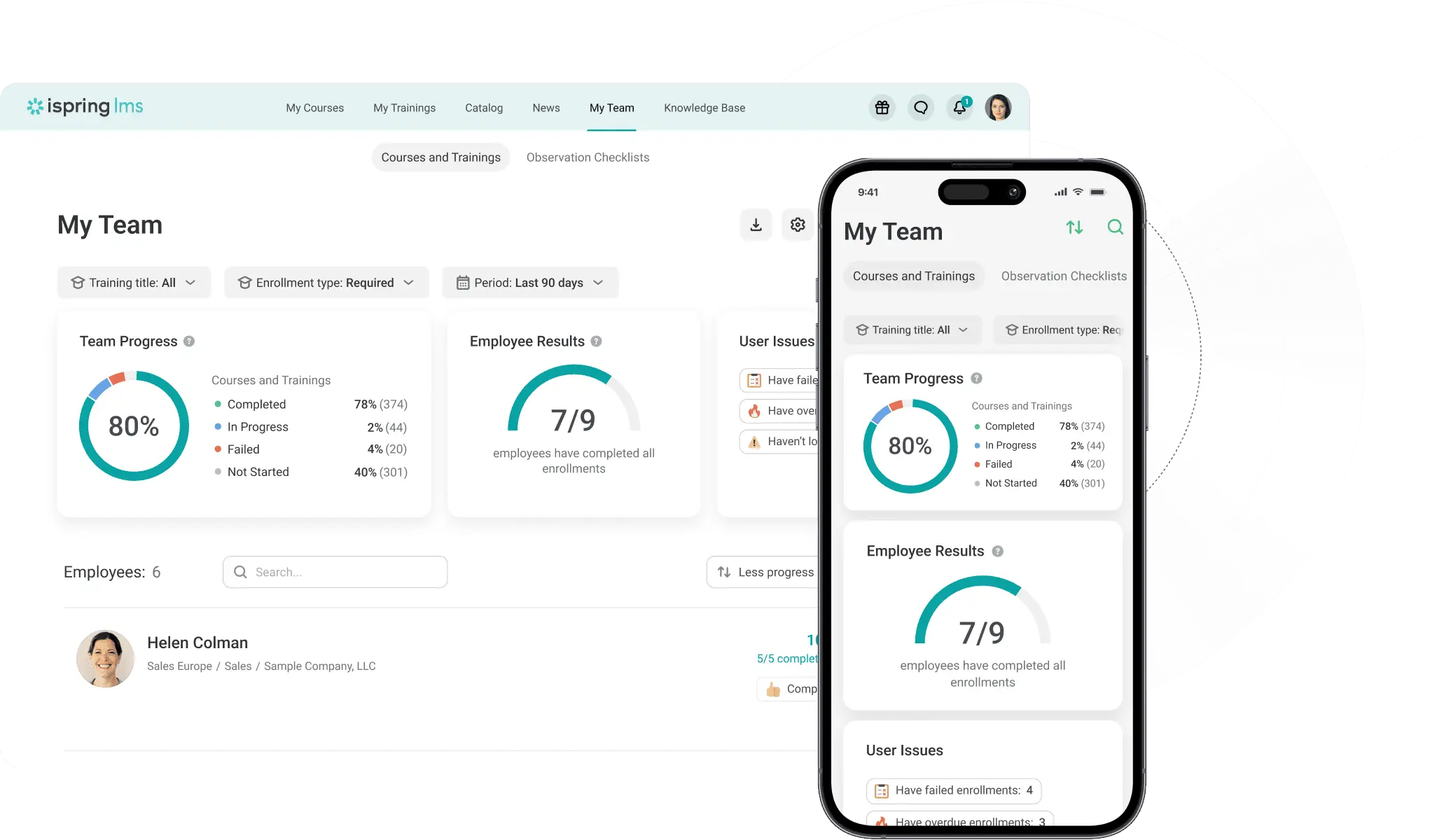
iSpring Learn platform dashboard

About iSpring Learn

Industry leader in connected fleet operations

Market Position

A mid-market corporate LMS known for published per-active-user rates and a PowerPoint-based authoring suite.

Innovation Focus

AI-assisted course creation through iSpring Suite AI and iSpring Cloud AI, plus offline mobile learning.

Core Strengths

Low per-learner cost at scale, bundled authoring, simple admin interface and highly rated support.

Use Cases

Employee onboarding, compliance training, on-the-job checklists, 360-degree reviews and development plans.

Discover iSpring Learn’s Complete Learning Management Systems Suite

Core Products & Solutions

Training delivery, authoring and talent development tools in one cloud platform
Training Management and Automation

Training Management and Automation

Admins build learning tracks, assign courses by role or department, and automate enrollments and compliance re-enrollment. Scheduled reports and custom roles support multi-location programs.

iSpring Suite AI Authoring Bundle

iSpring Suite AI Authoring Bundle

Every LMS plan includes the iSpring Suite AI authoring tool, which turns PowerPoint content into interactive SCORM courses, quizzes and role-plays. Standalone Suite licenses start at $970 per author per year.

Onboarding and On-the-Job Training

Onboarding and On-the-Job Training

Individual onboarding plans, mentorship workflows and observation checklists let managers confirm that practical skills are applied on the floor, not just completed online.

Performance and Development Tools

Performance and Development Tools

Competency profiles, 360-degree feedback and individual development plans tie training records to performance reviews inside the same system.

Mobile App With Offline Learning

Mobile App With Offline Learning

iOS and Android apps let learners download courses, including SCORM content, and sync progress once they reconnect, which suits field and frontline staff.

Integrations and API

Integrations and API

Connectors cover BambooHR, OrangeHRM, Salesforce, Zoom, Microsoft Teams, Google Meet, Zapier, Shopify and content libraries such as Go1, Udemy and LinkedIn Learning, plus a REST API and SAML or Microsoft Entra ID single sign-on.

iSpring Learn’s Pricing Plans

Pricing Overview

Published annual pricing per active user for Business plans; Enterprise and sub-100-user deals are quote-based

Business 100

Small and mid-sized teams with around 100 monthly active learners

$6.91/active

$6.91 per active user per month, billed annually ($8,286 per year)

  • Full iSpring LMS core feature set
  • iSpring Suite AI authoring tool included
  • Only users who log in during a month count as active
  • Mobile apps with offline learning
  • Analytics, scheduled reports and corporate portal
  • 24/7 live tech support
Custom Quote
Get A Quote

Business 300 to 1,000

Growing companies training several hundred to 1,000 active learners

$4.46/active

$4.46 per active user per month at 300 users ($16,050 per year), $3.97 at 500 users ($23,790 per year), about $3.58 at 1,000 users ($42,930 per year)

  • Everything in Business 100
  • Lower per-user rate as volume grows
  • 360-degree feedback and development plans
  • On-the-job training checklists
  • REST API for custom integrations
  • Plan changes allowed mid-billing cycle through sales
Custom Quote
Get A Quote

Enterprise

Large organizations with custom security, hosting or integration needs

Custom

Pricing

  • Everything in Business
  • On-premise installation option
  • Single sign-on and pre-built integrations
  • Unlimited API use
  • Dedicated premium support
  • Custom user counts and terms
Custom Quote
Get A Quote
WHO

Who Is iSpring Learn Best For?

Ideal customer segments and business profiles

Small Businesses

1-25 Employees

Very small teams can use the 30-day free trial, but standard plans start at 100 users, so they should request a sub-100 quote and compare it with plans priced per small team.

Mid-Market Companies

26-100 Employees

A strong fit for companies that want a ready-made LMS plus authoring in one subscription, as long as the 100-user entry point or a custom quote fits their budget.

Enterprise Companies

100+ Employees

Larger organizations gain the most from the pricing model, with rates dropping to about $3.58 per active user at 1,000 users and Enterprise options for on-premise hosting and SSO.

Frontline and Seasonal Workforces

Any Size

Retail, restaurant, manufacturing and healthcare employers benefit from offline mobile learning and active-user billing that skips staff who do not log in that month.


iSpring Learn’s benefits

Measurable Impact & Benefits

Figures reported by iSpring and its customers in published success stories

61,000+

Client Organizations

iSpring reports more than 61,000 clients worldwide across its products.

172

Countries Served

The company says its software is used in 172 countries.

50%

Fewer Warehouse Accidents

Forever Direct reported accidents fell by half after training its 350 employees in the LMS.

75%

Lower Travel Expenses

NAOS moved training for 3,000+ employees in 130 countries online and cut travel costs.

17

To 9 Days Course Completion

Allo shortened its training completion time by about 47 percent.

50%

Faster Onboarding

Central One targeted 80 percent online training and onboarding cut in half.

86%+

Certification Pass Rate

Drone Class reported that share of learners passing a national certification exam.

1,200+

Nurses And Staff Trained

Knox used the platform to train nurses and ancillary healthcare staff.

iSpring Learn’s REVIEWS

iSpring Learn Real reviews

Reviewers across aviation, healthcare, construction and manufacturing praise value and support

Our Rating:

4.7/5

Trustpilot reviews
9.6
G2 reviews
4.6
169 Reviews
Capterra
4.7
196 Reviews
4.7
10K+ Reviews
Luke B.
A strong, low cost option
Sonya S.
Effortless Setup, Engaging Features, and Great Value
Learning Management Systems Buyer’s Checklist

Learning Management Systems Checklist

What To Compare Before You Buy

LMS quotes vary widely depending on whether vendors bill per registered user, per active user or per seat, and whether authoring, SSO and integrations cost extra. This checklist helps you compare total annual cost, content standards and reporting depth before you sign

Get Your Free Checklist

Enter your email to download instantly

No spam. Instant access. Unsubscribe anytime.

Instant
Download
No
Spam
Free
Forever
iSpring Learn BENEFITS

iSpring Learn’s Pros & Cons

Balanced evaluation to help you make an informed decision

Strengths

  • Business plan pricing is published, with per-user rates falling from $6.91 to about $3.58 as volume grows
  • Active-user billing means registered but inactive learners are not charged
  • iSpring Suite AI authoring is bundled into every plan at no added cost
  • Customer service is rated 4.8 out of 5 by Capterra and Software Advice reviewers
  • Offline mobile learning on iOS and Android suits deskless staff
  • Talent tools such as 360-degree feedback and development plans are included, not sold as add-ons
  • 30-day free trial with no credit card required

Limitations

  • Standard plans start at 100 users, so smaller teams need a custom quote
  • A single accidental login consumes an active-user slot for that month, which requires license governance
  • Reporting is rigid, with no full self-service report builder and gaps in quiz history exports
  • Branding control is limited and full white-labeling is a custom paid option
  • No government, nonprofit or academic discounts on the LMS
  • On-premise hosting and some SSO and integration options are positioned in the quote-only Enterprise plan

Our Verdict

iSpring Learn earns its Best in Pricing placement on transparency and scale economics. Few corporate LMS vendors publish their rates, and iSpring's per-active-user billing, dropping to about $3.58 per user at 1,000 users, combined with a bundled authoring tool worth $970 or more per author on its own, gives mid-sized and large US employers a predictable and comparatively low total cost. Reviewers back this up, repeatedly citing value for money alongside strong support scores. The pricing advantage narrows for very small businesses, since published plans begin at 100 users and roughly $8,286 per year, and the login-based license model can waste slots without careful admin controls. Buyers with heavy compliance reporting needs, deep branding requirements or strict content standards beyond SCORM should test those areas during the 30-day trial. For companies with 100 or more learners that want onboarding, compliance and authoring in one affordable subscription, iSpring Learn is a strong shortlist choice.

Resources

Resources & Documentation

Detailed materials for deeper evaluation

iSpring LMS Pricing Page

Published Business plan rates, active-user definition and billing FAQs.

iSpring Suite Pricing Page

Per-author pricing for iSpring Suite, Suite AI and Cloud AI.

iSpring LMS Integrations Catalog

Full list of HRIS, conferencing, CRM, content library and SSO connectors.

iSpring LMS Help Documentation

Admin and learner guides for setup, reporting and course management.

SSO Setup Guide for Microsoft Entra ID

Step-by-step single sign-on configuration instructions.

BambooHR Integration Guide

How to sync employee records from BambooHR into the LMS.

iSpring Customer Success Stories

Case studies with published training outcomes by industry.

Free LMS Guides, Templates and Checklists

L&D planning templates and buyer guides from iSpring.

What to Know

What to Know Before Buying

Key considerations for evaluating iSpring Learn
  • A 30-day free trial with no credit card lets teams pilot before purchase
  • Existing SCORM courses can be uploaded, and new ones built in the bundled authoring tool
  • SSO and HRIS sync require IT involvement using the vendor's help guides
  • Reviewers note gaps for Slack and broader HRIS coverage, so confirm your payroll or HR system is supported.
  • Very large or multi-tenant programs should confirm reporting performance and branding options at scale.
  • Full white-labeling and some Enterprise-only features are priced separately.
  • Historical learner records usually need a CSV import or API work.
  • The LMS offers no public-sector or nonprofit discounts.

Alternatives

Compare Alternatives

See how iSpring Learn stacks up against competitors

TalentLMS offers tiered plans aimed at smaller teams, while iSpring favors 100-plus learner organizations and includes a full authoring suite.

Docebo targets enterprise learning with deeper AI and extended-enterprise features, generally at quote-based pricing well above iSpring's published rates.

Get Started

Ready to Get Started?

Get personalized recommendations from top 3 vendors

By submitting, you agree to receive recommendations from verified vendors. No spam, unsubscribe anytime.

Are You a Software Vendor?

List your company and get in front of decision-makers actively searching for solutions.

FAQ’s

Frequently Asked Questions

Common questions about iSpring Learn

Published Business plans cost $6.91 per active user per month at 100 users, $4.46 at 300 users and $3.97 at 500 users, billed annually. A 1,000-user plan works out to about $3.58 per user, and Enterprise pricing is quote-based.

iSpring counts a user as active if they log in at least once during a month. Registered users who do not log in are not billed, but a single login, even by mistake, uses a slot for that month.

Yes. Every LMS plan includes the iSpring Suite AI authoring tool. Bought separately, iSpring Suite costs $970 per author per year and Suite AI costs $1,290.

No. The former Start and Business split has been replaced by a single Business plan priced by user volume plus a custom Enterprise plan, with the same core features in every Business tier.

Yes, but standard plans begin at 100 users, so teams below that must contact sales for a custom quote. The 30-day free trial is a useful way to test fit first.

It connects with BambooHR, OrangeHRM, Salesforce, Zoom, Microsoft Teams, Google Meet, Zapier, Shopify and content libraries such as Go1, Udemy and LinkedIn Learning, plus SAML and Microsoft Entra ID SSO and a REST API.

Reviewers cite rigid reporting, limited branding control and the login-based license model. The 100-user entry point and the lack of nonprofit or academic discounts also matter for smaller or public-sector buyers.

Common alternatives include TalentLMS for smaller teams, Docebo and Absorb LMS for enterprise programs, 360Learning for collaborative learning and LearnUpon for customer and partner training.


