





Mobile Time Clock With GPS And Geofencing
Employees clock in and out from the iOS or Android app, and admins can restrict clock-ins to a location radius of at least 100 meters. Optional time restrictions stop staff from punching in too early for a scheduled shift.

Time Clock Terminal And Computer Clock-In
A shared kiosk on a computer, Android or iOS device lets staff clock in with an email or employee ID, with photo capture available on iOS terminals to curb buddy punching. Desktop clock-ins can be limited to approved IP addresses.

Attendance Alerts And Callout Reporting
Admins set notifications for missed clock-ins, missed clock-outs, approaching overtime and overtime eligibility. Pro and Premium plans add callout reporting to track absences and last-minute coverage gaps.

Breaks, Rounding And Tips
A Take Lunch button on mobile, computer and terminal clocks records breaks, or scheduled breaks can be deducted automatically. Timesheets can round to the nearest 5, 6 or 15 minutes, and employees can log tips by position.
Timesheets, Time Tracker And Payroll Export
Managers compare scheduled shifts against actual punches in the Time Tracker, edit or add entries with an audit log, then close the pay period. Summaries export to ADP, Gusto, Paychex, QuickBooks Online, Square, Rippling and Zapier.

Scheduling And Team Messaging
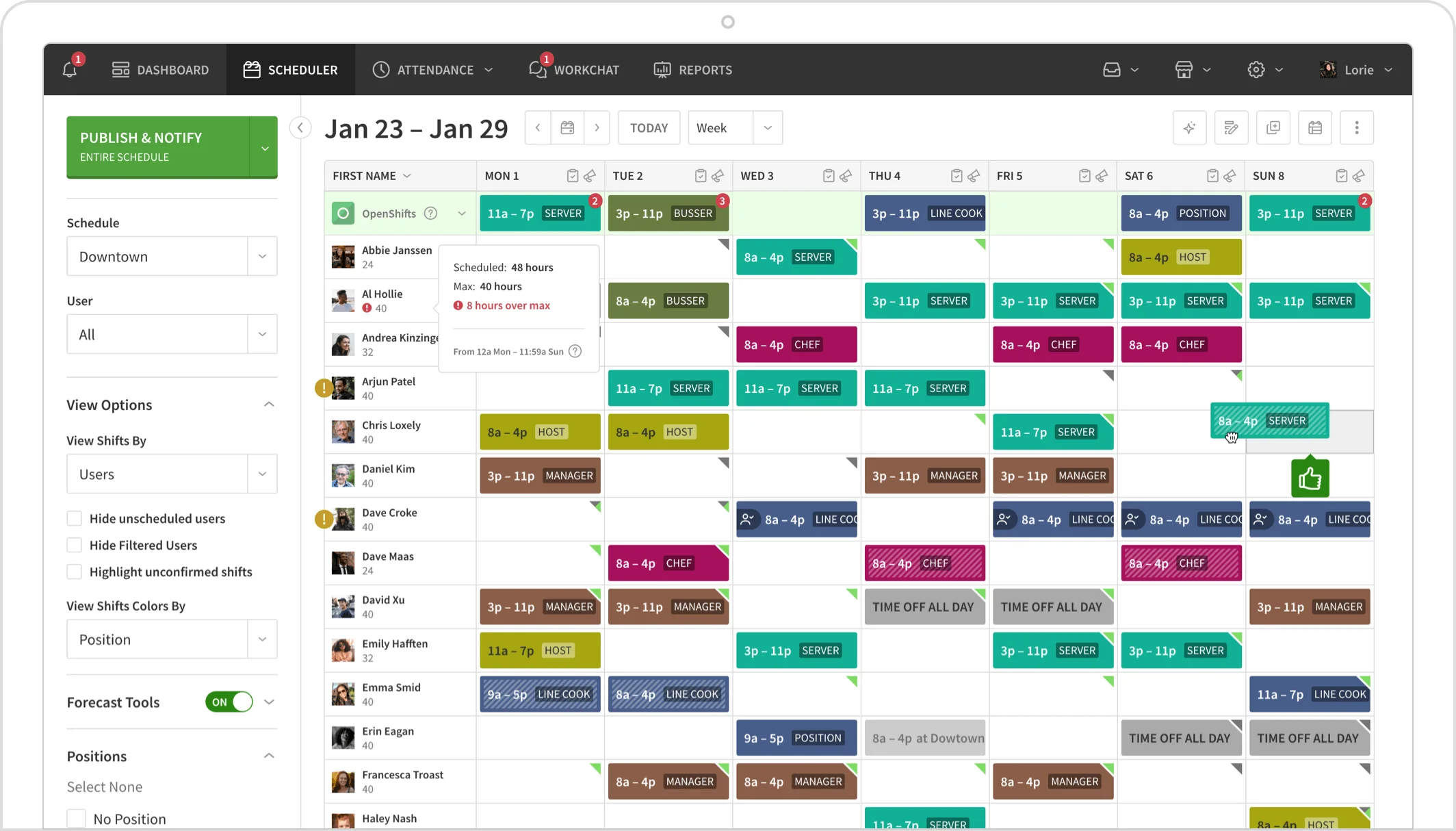
Schedules, shift swaps, open shifts and availability live in the same app as the time clock, so attendance is measured against the published schedule. In-app messaging lets managers reach staff without sharing personal phone numbers.
Essentials
Small, single-schedule teams that need core scheduling plus attendance

$2.50/user/mo
$2.50/user/mo, plus the Time Tracking and Attendance add-on (third-party estimate $1.50 to $2/user/mo)
- Unlimited users
- Auto scheduling and schedule templates
- Multi-week and multi-location scheduling
- Forecast tools
- In-app messaging and shift swapping
- Payroll and POS integrations
Pro
Growing and multi-location teams that need rules, permissions and reporting

$5/user/mo
$5/user/mo, plus the Time Tracking and Attendance add-on
- Everything in Essentials
- Advanced scheduling and scheduling rules
- Role permissions and labor sharing
- Callout reporting
- Custom reports and custom forecasting
- Overlapping OpenShifts and timezone toggling
Premium
Larger organizations that need system integration and identity controls

$8/user/mo
$8/user/mo, plus the Time Tracking and Attendance add-on; custom pricing for larger organizations
- Everything in Pro
- API access
- Webhooks
- SAML and single sign-on
- Help Center, Training Center and live chat support
- Monthly or annual billing with no contract

Small Businesses
1-25 EmployeesA strong fit for cafes, salons, studios and shops that want a cheap, easy app to schedule shifts, verify clock-ins by location and message staff. Essentials plus the attendance add-on keeps the per-employee cost low.

Mid-Market Companies
26-100 EmployeesPro adds role permissions, labor sharing, callout reporting and custom reports that help multi-site managers control attendance and overtime. Buyers who need deep labor cost analytics or complex shift patterns should test reporting during the trial.

Enterprise Companies
100+ EmployeesPremium brings API access, webhooks and SSO, and custom pricing is available for larger organizations. Enterprises with union rules, rotating crews or built-in payroll requirements may find the platform lighter than full workforce management suites.

Franchises And Multi-Location Operators
Any SizeFranchise brands and multi-unit operators such as fitness and education franchises use When I Work to share labor across locations and standardize clock-in rules. Timezone toggling and location-level schedules support operators spread across regions.





Strengths

- Live chat and email ticket support seven days a week, including weekends and holidays, on every plan
- Capterra customer service score of 4.4 out of 5 across a large review base
- Low published entry price of $2.50 per user per month with unlimited users
- Three clock-in methods: mobile with geofencing, shared terminal with iOS photo capture, and IP-restricted computer clock-in
- Attendance alerts for missed punches and approaching overtime, plus callout reporting on Pro and Premium
- Scheduling, time clock and team messaging in one highly rated mobile app
- No contracts, no setup fees and a 14-day trial with no credit card
Limitations

- Time Tracking and Attendance is a paid add-on whose price is not published
- No phone support; help is limited to chat, tickets and self-service resources
- Live chat is restricted to admins, managers and supervisors, not employees
- Reviewers report limited reporting depth for labor cost analysis without exporting data
- Complex shift patterns such as rotating crews and overnight shifts are reported as difficult to set up
- No built-in payroll, so hours must flow to a third-party payroll provider
Our Verdict
When I Work earns its Best in Support placement for attendance on the strength of an in-house team that covers live chat and tickets seven days a week, a 4.4 customer service score on Capterra across roughly 1,300 reviews, and a large self-service Help Center and Training Center. For small and mid-sized US businesses running hourly shifts, the combination of geofenced mobile clock-ins, kiosk photo capture, overtime alerts and schedule-linked timesheets covers the core attendance job at a low per-user cost. The support picture is not uniformly positive. There is no phone line, live chat is limited to managers and admins, one third-party review scored support 3.5 out of 10, and a small Trustpilot sample raises billing flexibility complaints. Buyers should also price the unpublished Time Tracking and Attendance add-on up front and confirm that reporting and shift pattern support match their operation. Teams that value fast chat-based help and simple, mobile-first attendance will be well served; those needing phone support, built-in payroll or complex scheduling rules should compare alternatives.
-
 14-day free trial with full feature access and no credit card
 -
Choose between mobile, terminal and computer clock-ins and set location or IP restrictions
-
Configure rounding, break deductions, pay period length and overtime alerts before the first payroll run
-
Confirm your payroll provider's export format and pay code mapping during the trial.
-
Reviewers report app slowdowns when large groups clock in at once and limited support for complex shift patterns, so test peak clock-in periods.
-
Features such as callout reporting and API access require higher tiers.
-
Run parallel pay periods to reconcile hours before retiring the old system.
-
One Trustpilot reviewer reported a strict annual renewal deadline, so confirm renewal and refund terms before choosing annual billing.