





Traffic Analytics
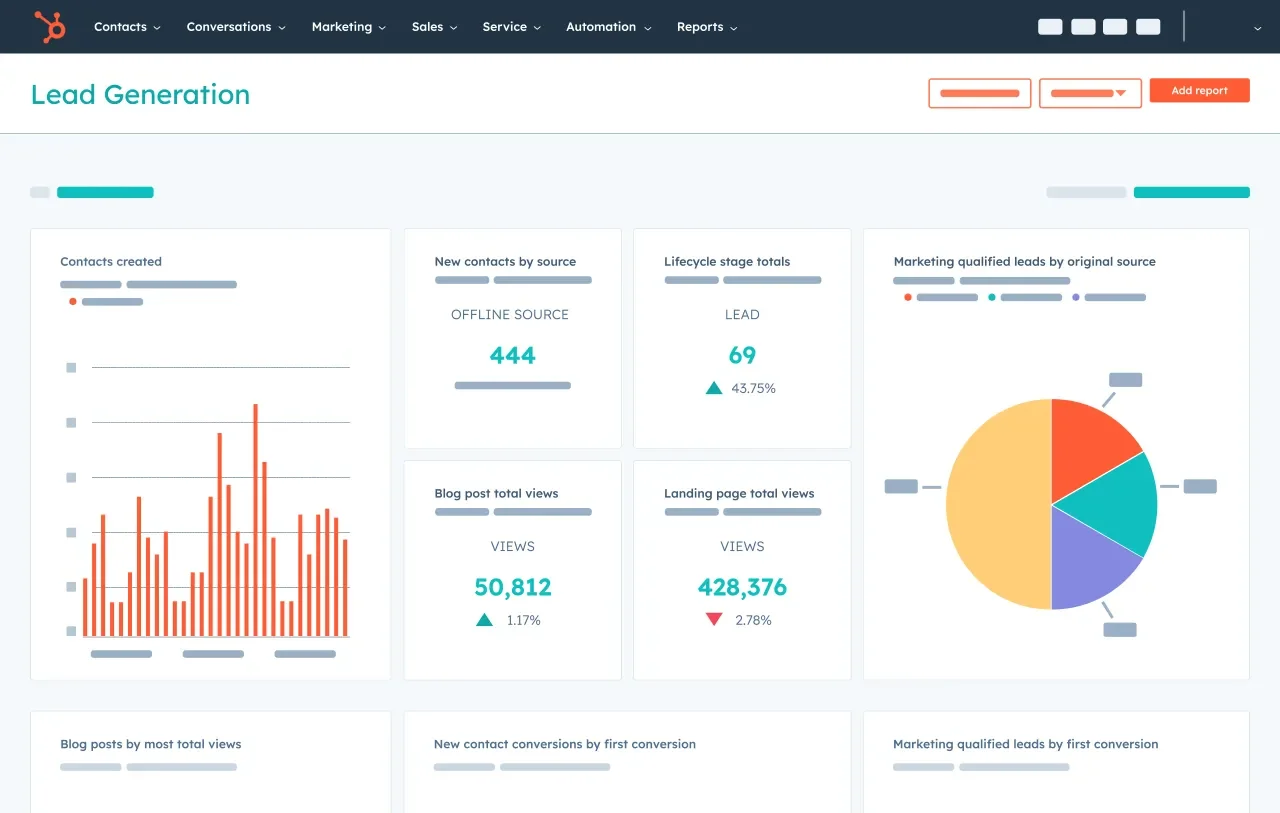
Measures website sessions by source, conversion rates and which channels produce the most customers over time, using the HubSpot tracking code.

Custom Report Builder
Lets teams build reports across website, email, blog, social and CRM objects. Professional allows up to 100 custom reports and Enterprise up to 500.

Dashboards
Collects reports into shared dashboards, from 10 dashboards on Free to 30 on Starter, 75 on Professional and 100 on Enterprise, each holding up to 50 reports.

Multi-Touch Revenue Attribution
Enterprise feature that credits closed revenue to the marketing touchpoints across channels that contributed to each deal.
Journey Analytics
Enterprise capability that maps how contacts move through lifecycle stages and where they stall or convert.

Campaign And Email Reporting
Built-in performance reports for emails, landing pages, forms and campaigns, available from the free tier upward and used to guide ongoing optimization.
Starter
Small teams that need basic reports on email and web activity

From
$9/seat
From $9 per seat/month billed annually ($10 month-to-month in HubSpot's pricing guide)
- 1,000 marketing contacts included
- 30 dashboards with up to 50 reports each
- Prebuilt email, form and landing page reports
- 5,000 email sends per month at the base contact tier
- Email and in-app chat support
- No onboarding fee
Professional
Growing marketing teams that need custom reporting and campaign analytics

$800/mo
$800/month billed annually ($890 monthly), plus a required $3,000 onboarding fee
- 3 core seats included, extra seats $45/month
- 2,000 marketing contacts included
- 75 dashboards and up to 100 custom reports
- Campaign reporting and marketing automation
- Email, chat and phone support
- 3,000 HubSpot Credits included
Enterprise
Larger organizations needing revenue attribution and advanced governance

From
$3,600/mo
From $3,600/month billed annually, plus a required $7,000 onboarding fee
- 5 core seats included, extra seats $75/month
- 10,000 marketing contacts included
- 100 dashboards and up to 500 custom reports
- Multi-touch revenue attribution across channels
- Journey analytics
- Phone support with Premium Support option (designated team, priority routing)

Small Businesses
1-25 EmployeesA good starting point on the Free or Starter plan for owners who want basic traffic and email reports with chat and email support, though custom reports and attribution are out of reach at these prices.

Mid-Market Companies
26-100 EmployeesThe strongest fit on Professional, where custom reports, 75 dashboards and phone support justify the cost for teams that already run their CRM in HubSpot.

Enterprise Companies
100+ EmployeesEnterprise adds multi-touch revenue attribution, journey analytics and Premium Support, but teams needing warehouse-level or product analytics may still pair it with a specialist tool.

B2B Teams Running Sales On HubSpot CRM
Any SizeCompanies whose sales pipeline already lives in HubSpot get the most value, because marketing reports and deal revenue share one record without a sync.





Strengths

- Reports run on native CRM data, so marketing and sales figures match without a sync
- Free plan includes 10 dashboards and prebuilt marketing reports
- Clear tiered support: chat and email from Starter, phone from Professional, Premium Support on Enterprise
- Capterra reviewers rate customer service 4.4 out of 5
- HubSpot Academy and a large knowledge base reduce the training burden
- Published list prices for every tier
- Enterprise multi-touch attribution ties campaigns to closed revenue
Limitations

- Revenue attribution and journey analytics are Enterprise-only, starting at $3,600 per month
- Mandatory onboarding fees of $3,000 (Professional) and $7,000 (Enterprise)
- Large price jump from Starter to Professional
- Contact-based billing raises costs as the database grows
- Trustpilot reviews average 1.5, citing slow responses and billing disputes
- TrustRadius reviewers say dashboards lack depth for complex analysis
Our Verdict
HubSpot Analytics earns its Best in Support placement mainly through structure and scale: every paid tier gets direct human channels, Professional and Enterprise add US toll-free phone support, Enterprise customers can buy Premium Support with a designated team, and the HubSpot Academy and help center give self-serve depth few analytics vendors match. Capterra reviewers score its customer service 4.4 out of 5, and the reporting itself benefits from sitting on the same CRM as your pipeline. The placement comes with a real caveat. Trustpilot rates HubSpot 1.5 out of 5 across more than 1,100 reviews, and G2 reviewers flag limited support on lower tiers and billing friction. Buyers should also note that attribution and journey analytics require Enterprise plus a $7,000 onboarding fee. For mid-market and larger teams already running on HubSpot CRM, it is a sound choice; teams that only need web analytics or deep product analytics can find cheaper or more specialized options.
-
 Tracking code install is the main technical step for traffic analytics
 -
Professional and Enterprise include mandatory paid onboarding
-
Attribution accuracy depends on clean CRM deal and contact data
-
Reporting works best when sales deals live in HubSpot CRM; G2 reviewers report Salesforce sync issues when the CRM sits elsewhere.
-
Dashboard and custom report limits rise by tier, from 10 dashboards on Free to 100 dashboards and 500 custom reports on Enterprise.
-
Onboarding fees of $3,000 or $7,000, extra seats at $45 or $75 per month and marketing contact overages can add materially to list price.
-
Historical analytics from another tool do not carry over automatically, so plan for a period of parallel reporting while HubSpot builds its own history.
-
Annual billing is cheaper than monthly, Enterprise typically requires an annual contract, and reviewers report automatic contact tier upgrades mid-term.