



Moz logo

Education-Led SEO Platform With a Deep Self-Service Support Ecosystem

Moz Pro bundles keyword research, rank tracking, link analysis, site audits and reporting into one SEO toolset built around its widely cited Domain Authority metric. Its support model pairs an in-app help desk with an unusually large library of guides, on-demand Moz Academy courses and a long-running marketer community.
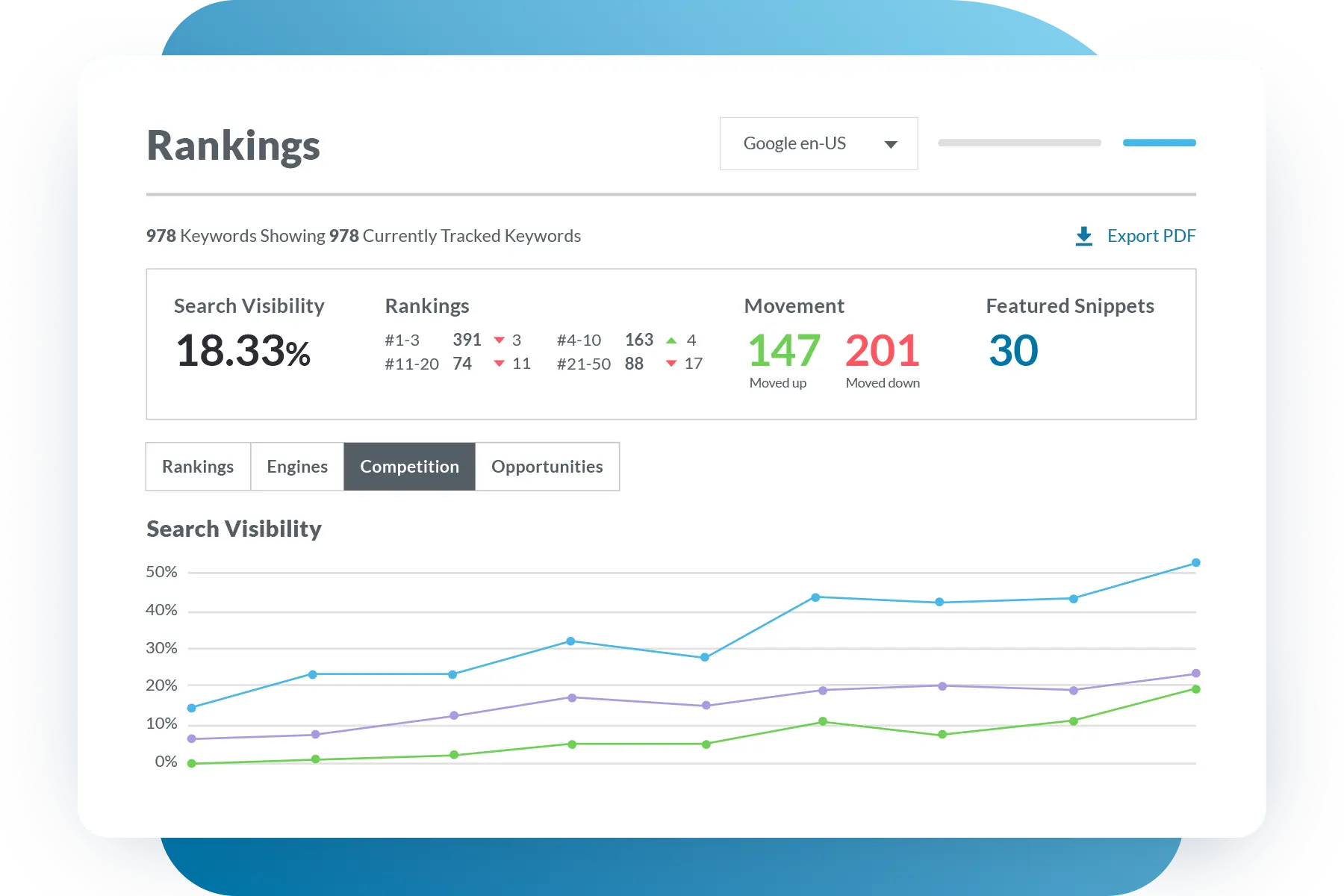
Moz platform dashboard

About Moz

Industry leader in connected fleet operations

Market Position

An established mid-priced all-in-one SEO suite, positioned below Semrush and Ahrefs on price and data depth but ahead on learning resources.

Innovation Focus

Moz AI features for keyword clustering, SERP analysis and brand authority, plus AI visibility tracking on higher tiers.

Core Strengths

Domain Authority metrics, approachable interface, affordable API access, and an extensive education and help library.

Use Cases

Keyword research, rank tracking, technical site audits, backlink analysis and client reporting for in-house teams and agencies.

Discover Moz’s Complete SEO Suite

Core Products & Solutions

The Moz Pro toolset plus the support and learning layer that backs it
Keyword Explorer

Keyword Explorer

Keyword research with volume, difficulty, priority and intent metrics, drawing on a database reviewers cite at roughly 1.25 billion keywords with AI-assisted suggestions.

Link Explorer

Link Explorer

Backlink and competitor link analysis on an index of 40 trillion plus links, including Domain Authority, Page Authority and Spam Score.

Site Crawl (Site Audit)

Site Crawl (Site Audit)

Weekly crawls that flag crawlability, redirect, HTTPS and on-page issues, ranked by likely impact, with crawl budgets from 20,000 to 5 million pages per week by plan.

Rank Tracker and Campaigns

Rank Tracker and Campaigns

Keyword position tracking with historical trends, from 50 tracked keywords on Starter to 3,000 on Large, organized into campaigns per site.

Moz AI and On-Page Grader

Moz AI and On-Page Grader

Content optimization scoring, keyword clustering, content gap and SERP analysis, plus a Brand Authority score and AI visibility tracking on Medium and above.

Help Hub, Moz Academy and Community

Help Hub, Moz Academy and Community

A searchable help center with in-app ticket and chat support, on-demand Moz Academy courses and certifications such as the Technical SEO Certification, the Beginner's Guide to SEO, and the Moz community.

Moz’s Pricing Plans

Pricing Overview

Published pricing: Starter $49/mo, Standard $99/mo, Medium $179/mo, Large $299/mo, about 20% less billed annually; Enterprise is quote-based

Standard

Freelancers and small in-house teams managing a few sites

$99/mo

$99/mo monthly or $79/mo billed annually

  • 3 tracked sites (campaigns)
  • 300 tracked keywords
  • 400,000 pages crawled per week
  • Keyword research, backlink analysis and scheduled reports
  • 1 user seat
  • 7-day free trial (card required)
Custom Quote
Get A Quote

Medium

Growing marketing teams and content-heavy businesses

$179/mo

$179/mo monthly or $143/mo billed annually

  • 10 tracked sites (campaigns)
  • 1,500 tracked keywords
  • 2 million pages crawled per week
  • AI visibility tracking and higher keyword query limits
  • 2 user seats
  • 7-day free trial (card required)
Custom Quote
Get A Quote

Large

Agencies and multi-site organizations

$299/mo

$299/mo monthly or $239/mo billed annually

  • 25 tracked sites (campaigns)
  • 3,000 tracked keywords
  • 5 million pages crawled per week
  • Full Moz AI and reporting features
  • 3 user seats
  • Enterprise plan available on quote for larger needs
Custom Quote
Get A Quote
WHO

Who Is Moz Best For?

Ideal customer segments and business profiles

Small Businesses

1-25 Employees

A good fit for owners and lean marketing teams who want to learn SEO while doing it, since the Starter and Standard plans pair modest limits with extensive free guides and courses. Capterra reports that 79% of its Moz Pro reviewers are small businesses.

Mid-Market Companies

26-100 Employees

The Medium plan suits in-house teams running several sites who value clear metrics, scheduled reporting and training resources that help onboard junior marketers.

Enterprise Companies

100+ Employees

Large organizations can use the Large or quote-based Enterprise plan and the affordable API, but may find the keyword database and seat counts thinner than enterprise-focused rivals.

Agencies

Any Size

Agencies benefit from multi-campaign tracking, white-label style client reports and certifications for staff, with named agency users including Tinuiti, Wpromote and Go Fish Digital.


Moz’s benefits

Measurable Impact & Benefits

Figures from Moz customer case studies and third-party reviews of Moz data

1,143%

Keyword Ranking Increase

Reported in Moz's Tinuiti case study

50%

Less SEO Reporting Time

TELUS case study reports cutting reporting time in half

29%

Organic Traffic Growth In 90 Days

Reported in Moz's TopSpot case study

25%

Organic Traffic Increase

Reported in Moz's Wristband Resources case study

2

X Share Of Voice In 4 Months

R/GA case study for a client engagement

45.5

Trillion Links Indexed

Link data size cited by TechRadar

1.25

Billion Keywords

Keyword database size cited by TechRadar

91%

Positive Reviews

Share of positive Moz Pro reviews on Capterra

Moz’s REVIEWS

Moz Real reviews

Strong software review scores, offset by weak consumer-site ratings on billing

Our Rating:

4.4

Trustpilot reviews
2.4
G2 reviews
4.3
608 Reviews
Capterra
4.5
350
N/A
N/A
Jake H.
Comprehensive, User-Friendly SEO Toolkit for All Levels
Editorial Review
One of the most effective platforms for data-driven SEO
SEO Buyer’s Checklist

SEO Checklist

What To Compare Before You Buy

SEO suites differ sharply in keyword and link database size, tracked keyword limits, seat pricing and how easily you can cancel a trial or subscription. This checklist helps you compare vendors on data depth, support access and billing terms before you commit a card.

Get Your Free Checklist

Enter your email to download instantly

No spam. Instant access. Unsubscribe anytime.

Instant
Download
No
Spam
Free
Forever
Moz BENEFITS

Moz’s Pros & Cons

Balanced evaluation to help you make an informed decision

Strengths

  • Very large free and paid learning library, including Moz Academy courses and certifications
  • Customer service rated 4.5 out of 5 by Capterra reviewers, with responsive support praised on G2
  • Intuitive interface that works for beginners as well as experienced SEOs
  • Widely used Domain Authority and Page Authority metrics
  • Transparent published pricing with about 20% off annual plans
  • Low-cost API starting around $5 per month
  • Useful automated site audits and scheduled client reports

Limitations

  • Trustpilot rating of 2.4 with repeated complaints about post-trial charges and denied refunds
  • Support is ticket and chat based during business hours only, with no phone line
  • Smaller keyword database than Semrush and Ahrefs, per G2 and Style Factory reviewers
  • Tracked keyword and report limits push users into higher tiers
  • Extra seats cost about $49 per user per month
  • Slower data refreshes and crawls than some competitors, per reviewers

Our Verdict

Moz is a sound choice for US businesses and agencies that want a capable, reasonably priced SEO suite backed by the most extensive learning and self-service support resources in its category. Its help hub, Moz Academy certifications, free guides and responsive in-app support, reflected in a 4.5 out of 5 customer service score on Capterra, make it especially well suited to teams building SEO skills in-house. The Best in Support placement comes with a clear caveat: Moz's 2.4 Trustpilot score reflects repeated complaints about being charged after trials and refused refunds, and live support is limited to business-hours ticket and chat with no phone option. Buyers who need the deepest keyword and backlink data should also compare Semrush and Ahrefs, and anyone starting a trial should set a cancellation reminder and confirm refund terms in writing.

Resources

Resources & Documentation

Detailed materials for deeper evaluation

Moz Pro Pricing Page

Current plan limits, seat counts and annual pricing

Moz Help Hub

Searchable help articles, product guides and support ticket access

Moz Academy

On-demand SEO courses and paid certifications

Technical SEO Certification

Five-part, roughly three-hour course with exam and shareable badge

The Beginner's Guide to SEO

Moz's free foundational SEO guide

Whiteboard Friday

Weekly video lessons on SEO topics

Moz API Documentation

Endpoints, pricing and data access for developers

Moz Case Studies

Customer results from agencies and brands such as TELUS and Tinuiti

What to Know

What to Know Before Buying

Key considerations for evaluating Moz
  • A 7-day free trial is available on Standard and Medium; Starter has no trial
  • Campaign setup requires adding sites, keywords and competitors
  • Moz Academy and help guides support self-paced onboarding
  • Moz connects with Google Analytics and Google Search Console for campaign data, and offers a low-cost API, but reviewers note fewer third-party integrations than larger suites.
  • Plans scale from 1 to 25 tracked sites and 50 to 3,000 tracked keywords, with an Enterprise quote beyond that; heavy users may hit keyword report and tracking caps.
  • Extra seats run about $49 per user per month and extra campaigns about $10 per month, while Moz Local and higher API tiers are billed separately.
  • Historical rank data from other tools does not carry over, so teams switching should run tools in parallel long enough to rebuild ranking history.
  • Plans are month to month or annual with auto-renewal, and trials convert to paid automatically, so cancel before the trial ends and confirm refund eligibility in writing.

Alternatives

Compare Alternatives

See how Moz stacks up against competitors

Semrush offers a broader marketing suite and larger keyword database at a higher entry price, while Moz is cheaper and stronger on SEO education.

Detailed feature comparison, pricing analysis, and user reviews

Get Started

Ready to Get Started?

Get personalized recommendations from top 3 vendors

By submitting, you agree to receive recommendations from verified vendors. No spam, unsubscribe anytime.

Are You a Software Vendor?

List your company and get in front of decision-makers actively searching for solutions.

FAQ’s

Frequently Asked Questions

Common questions about Moz

Moz Pro is published at $49 (Starter), $99 (Standard), $179 (Medium) and $299 (Large) per month, or about $39, $79, $143 and $239 per month billed annually. Enterprise pricing is quote-based.

Moz offers a searchable help hub with ticket and in-app chat support during business hours, plus Moz Academy courses, certifications, free guides, Whiteboard Friday videos and a community forum. There is no phone support.

Yes, a 7-day free trial is available on the Standard and Medium plans with a card on file; the Starter plan has no trial. The trial converts to a paid plan automatically unless cancelled.

Yes. Moz holds a 2.4 rating on Trustpilot, where many reviewers describe being charged after a trial and being refused refunds, so set a reminder and cancel in-app before the trial ends.

Starter and Standard include 1 seat, Medium includes 2 and Large includes 3, with 1, 3, 10 and 25 tracked sites respectively. Extra seats cost about $49 per month each.

Reviewers cite a smaller keyword database than Semrush and Ahrefs, tracked keyword and report caps, slower data refreshes, and limited third-party integrations.

Moz was acquired in Q2 2021 by J2 Global through its iContact subsidiary; J2 Global has since become Ziff Davis. Moz remains based in Seattle.

Common alternatives include Semrush, Ahrefs, SE Ranking, Mangools and Serpstat, with Semrush and Ahrefs offering larger data sets at higher prices.


