




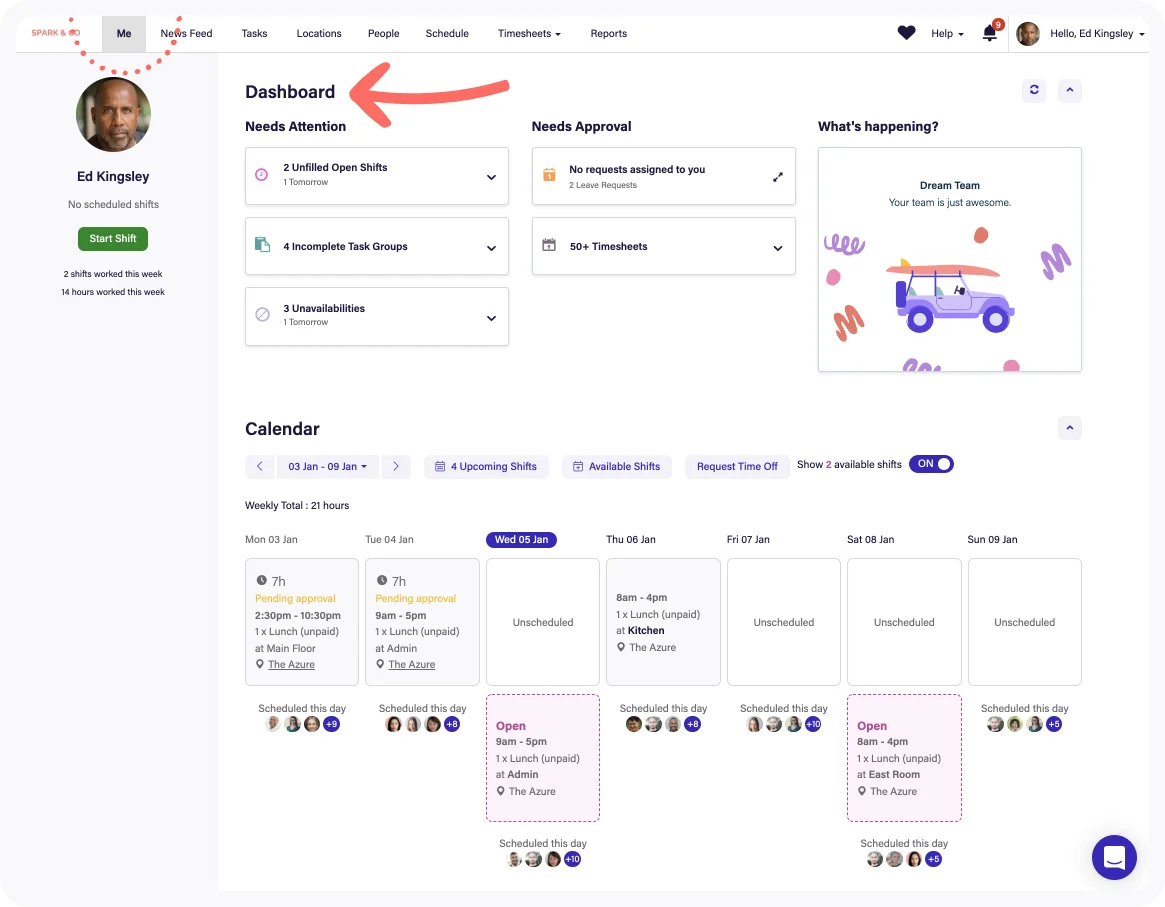

Time Clock App And Kiosk
Employees clock in from the mobile app or a shared tablet kiosk, with GPS geofencing and photo verification to confirm who clocked in and where. Facial recognition clock-in is available for touchless identity checks.

Timesheets And Approvals
Clock data converts into timesheets that managers compare against scheduled shifts, adjust and approve in a structured workflow before export. Pro adds advanced timesheet controls and custom access levels for tighter approval rights.

Scheduling And Auto-Scheduling
Drag-and-drop schedules, shift swapping and templates sit alongside auto-scheduling and demand forecasting on Core and Pro. Schedules show labor cost against budget while shifts are being built.

Labor Law And Fair Workweek Compliance
Deputy supports Fair Workweek rules in Los Angeles, New York, Chicago and Philadelphia, plus break planning, minor work-hour guardrails and overtime alerts. It requests employee attestation for late clock-ins, missed breaks or unscheduled work and flags premium pay on timesheets.
Payroll Integrations And Deputy Payroll
Approved timesheets export to ADP, Gusto, Paychex, Paycom, Xero and other payroll systems among 60+ integrations. In the US, Deputy Payroll enabled by Paycor is sold as an add-on that runs payroll directly from Deputy timesheets.

Analytics+ And Deputy AI
Analytics+ reports on labor cost, hours and attendance trends, while Deputy AI is currently offered on all plans at introductory no-cost terms. Messaging+ adds team communication for shift updates and announcements.
Lite
Small businesses that need core scheduling and time tracking

$5/user/mo
$5/user/mo billed annually (about $5.50 billed monthly)
- Basic scheduling
- Basic timesheets
- Basic time clocking
- Labor compliance tools
- Shift management and swapping
- Deputy AI at introductory no-cost terms
Core
Growing and mid-market teams that want automation

$6.50/user/mo
$6.50/user/mo billed annually (about $7.25 billed monthly)
- Everything in Lite
- Advanced scheduling
- Auto-scheduling
- Demand forecasting
- Customer success manager
- Deputy AI at introductory no-cost terms
Pro
Multi-location and enterprise operators that need control and priority support

$9/user/mo
$9/user/mo billed annually (about $10 billed monthly); custom enterprise pricing on request
- Everything in Core
- Advanced timesheets
- Custom access levels
- Single sign-on (SSO)
- Analytics+ and Messaging+ included
- Dedicated customer success manager and 24/7 live chat

Small Businesses
1-25 EmployeesLite gives cafes, shops and small clinics scheduling, mobile clock-in and basic timesheets at a low per-user price, though the $30 monthly minimum means very small teams pay the floor rather than the per-user rate.

Mid-Market Companies
26-100 EmployeesCore suits growing operators that want auto-scheduling, demand forecasting and a customer success manager, with timesheets exported to an existing payroll provider or Deputy Payroll.

Enterprise Companies
100+ EmployeesPro adds SSO, custom access levels, advanced timesheets and 24/7 live chat, and Deputy offers custom enterprise terms for large multi-site workforces.

Multi-Location Hourly Employers In Fair Workweek Cities
Any SizeRetail, restaurant and hospitality employers in Los Angeles, New York, Chicago or Philadelphia benefit from built-in predictive scheduling, break attestation and audit-ready change records.





Strengths

- Intuitive scheduling and mobile app consistently praised on G2 and Capterra
- Multiple clock-in methods with geofencing, photo verification and kiosk mode
- Deep US labor compliance: Fair Workweek, break attestation, minor hour limits and overtime alerts
- Timesheets reconciled against schedules with structured approval before payroll export
- 60+ integrations across payroll, point of sale and HR, plus native US payroll via Paycor
- Transparent published pricing starting at $5 per user per month on annual billing
- Auto-scheduling and demand forecasting on Core and Pro plans
Limitations

- Analytics+, Messaging+, HR and Payroll are paid add-ons that raise the effective per-user cost
- 24/7 live chat and dedicated success management are limited to the Pro plan
- Trustpilot rating of 2.9 reflects complaints about support responses and billing errors
- Some users report slow loading, app glitches and location-based clock-in failures
- Payroll syncs with some providers can need manual fixes or extra reconciliation steps
- Mobile app lacks full offline functionality, per third-party reviewers
Our Verdict
Deputy earns its Best in Features placement for timesheets through the breadth of what sits between a clock-in and a paycheck: verified mobile and kiosk clocking, schedule-to-timesheet reconciliation, approval workflows, and US compliance tooling for Fair Workweek cities, breaks, minors and overtime that many low-cost rivals lack. Published pricing of $5 to $9 per user per month on annual billing, strong 4.6 ratings on G2, Capterra and Software Advice, and 60+ integrations make it a credible fit for hourly employers from single-site cafes to multi-location retailers. Buyers should budget beyond the base plan. Analytics, messaging, HR and payroll are add-ons, live chat support is reserved for Pro, and Trustpilot feedback points to support and billing frustrations that the major review sites do not show. Teams that need a simple timesheet with no compliance obligations may find cheaper tools sufficient, while US employers facing predictive scheduling or break premium rules should shortlist Deputy and pressure-test its payroll sync with their provider during the trial.
-
 Core includes a customer success manager and Pro includes a dedicated one
 -
Break, overtime and Fair Workweek rules must be configured to match your jurisdictions
-
Kiosk clock-in requires a tablet at each site if you choose that method
-
Deputy connects to ADP, Gusto, Paychex, Paycom, Xero, Square, Clover, BambooHR, Rippling and others, and offers an open API. Map pay codes and test a full pay cycle before going live, since some users report sync errors.
-
Per-user pricing means costs scale linearly with headcount, including seasonal staff.
-
A $30 minimum monthly spend applies, and kiosk tablets are a separate hardware cost.
-
Run Deputy in parallel for at least one pay period to validate timesheet totals against your current system.
-
Enterprise customers can negotiate custom terms through Deputy's sales team.